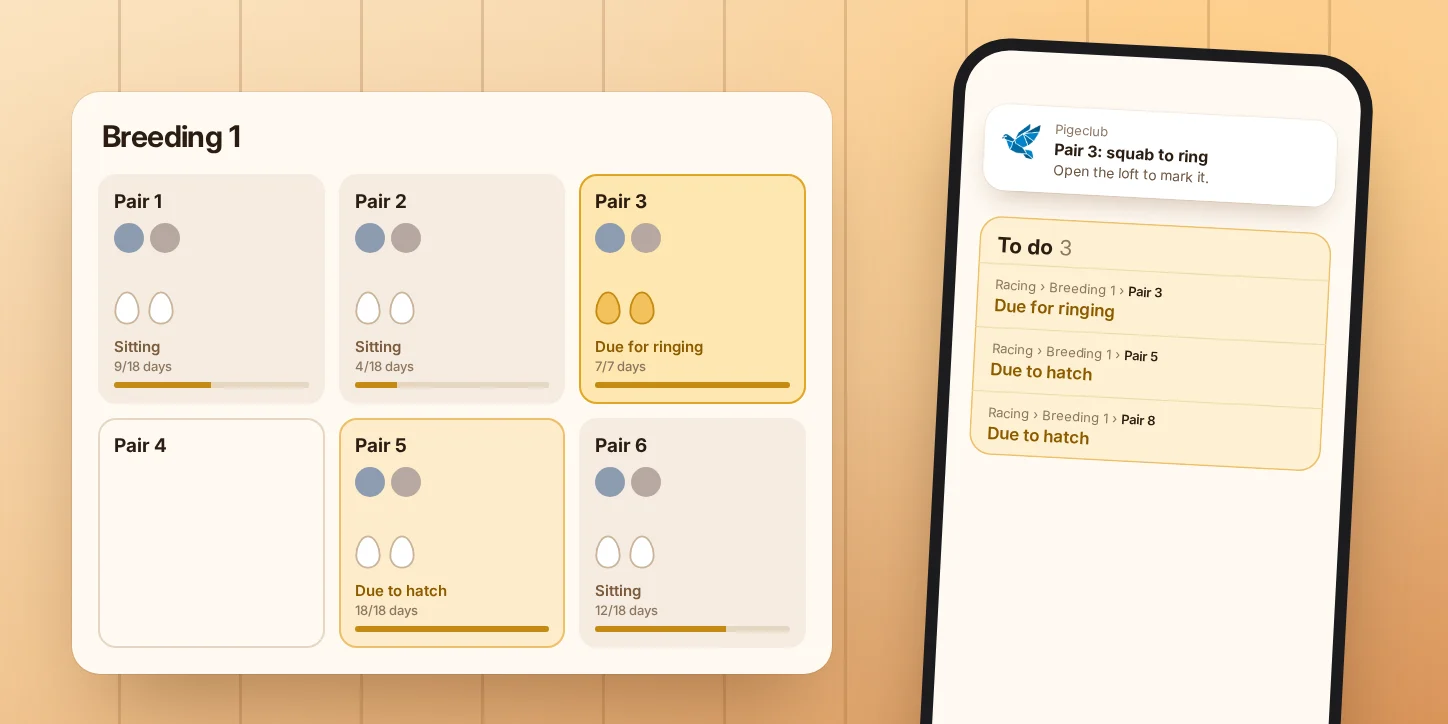
A note on the loft door, a calendar in the kitchen and memory. That is how most breeders count the days from laying. In the season, with a dozen pairs, a ringing day is easy to miss. Pigeclub now has My lofts, and it counts for you.
Your loft as it really is
Add a loft, for example Racing or Breeding. Inside it, add compartments for loose pigeons and breeding compartments for pairs. Pick pigeons from your account by ring or name, or drag them from one place to another.
Nothing to set up first. Lay out the loft the way it stands in your yard.
Every pair at a glance
Each pair is a cock, a hen and their clutches. Pigeclub keeps every pigeon in one place only. Move it to another pair and Pigeclub asks before it does.
Record a clutch with one tap
Tap Add clutch and enter the laying date. From then on Pigeclub counts the days:
- Sitting takes 17–19 days. Around day 18 the pair shows "Due to hatch".
- Tap Hatched and Pigeclub keeps counting.
- After 6–8 days the squab is "Due for ringing". Enter the ring number and the squab joins your account as a pigeon.
A bar on each pair shows how many days have passed. No counting on your fingers.
To do: what the loft needs today
At the top of My lofts is the To do list. It shows every pair that needs you today: squabs to ring, or eggs that should have hatched. Ringing always comes first, because it has the shortest window.
Each row shows where to go: the loft, the compartment and the pair.
Reminders on your phone
Turn on reminders and Pigeclub notifies you when squabs are due to hatch and when to ring them. You do not need to open Pigeclub to know that today is ringing day.
Your loft on paper
Print any compartment on a sheet and pin it up in the loft. Whoever feeds the pigeons while you are away knows which pair sits where.
How to start
Open Pigeclub on your phone, computer or in the browser and go to My lofts. Your first loft takes a minute. No pigeons in Pigeclub yet? See how to import a pigeon pedigree from a photo.